

Subscribe to:
Post Comments (Atom)
Welcome to "AE I Owe You", a spot for tutorials and helpful tips relating to Visual Effects and Motion Graphics. While the majority of posts will relate to AE (After Effects), this blog will also showcase other software as well. At least the ones I know how to use. ;) If you find something useful here, feel free to say so in the comment sections. Enjoy.
8 comments:
Awesome tutorial David.
I was wondering how you did the intro with the still frames flipping through - it looks like you turned them into 3d layers and also had a point light in there...I understand how to do that but I'm guessing you used some kind of expression to flip through all of those images? Is there a tutorial on how to do that or could you point me in the right direction?
Hi Charley, no expressions were involved allthough I'm sure it could be done easily. You are right about it being a point light, I had two of them, one on left and right side of cards. I simply offset 3D Anchor Point to the bottom edge of card and created one set of rotation keyframes that did a 180. Once I got the speed I liked I just copied it over to all layers and then Sequenced them with a few frames overlap. Then added a camera move. Really simple setup.
Thank you sir!
One more question, did you export the frames of your raw footage as still images for this or just freeze frame them?
Yes, I exported stills from the raw footage with quicktime to speed up the process.
Wow, thats a great tutorial, very well explained.
Caint wait to do a test on that. Thank you very much for sharing your knowledge!
Hi, hope you can help me with this project i am working on. I am trying to replace a face from a video clip with a image in a simple way using this method.
#
Open Adobe After Effects. Hit the "Close" button when the Welcome Screen pops up.
# 2
Right-click in the "Project" window and select "Import: File."
# 3
Navigate to where the file is stored using the Windows Explorer or the MacOS Finder. Hit the "Open" button once the video of the body and the picture or video of the face is selected.
# 4
Drag the video file to the "Create New Composition" button, located at the bottom of the "Project" window. The button is an icon that contains a circle, square and triangle inside a filmstrip.
# 5
Drag the image of the face to the "Composition" window located at the bottom of the screen. Make sure the face is higher in order than the body. Double-click the face media file.
# 6
Cut out the face using the "Pen Tool." Simply click points around the face as roughly or exactly as needed. When the last point is connected, the face should be cut out with a background of black.
# 7
Click the "Composition" tab at the top of the screen to bring back the composition monitor.
# 8
Right-click the cut-out face and select "Transform: Scale." Scale up or down so that the face matches the body.
# 9
Pull out the "Tracker" tab at the right side of Adobe After Effects. Under "Motion Source" select the video file with the body.
# 10
Click the "Track Motion" button. Drag the "Track Point" box over the head to be replaced. Make sure the X is over the center of the head. If necessary, increase the box size to match the head size.
# 11
Click the "Analyze Forward" button, which is shaped like a standard play button. This process may be somewhat slow, depending on the computer and video size. HD video will take much longer than Standard Definition.
# 12
Hit the "Edit Target" button to select the media file containing the face. Then hit the "Apply" button to link the motion-tracking data to the face.
# 13
Check the end result by creating a ram preview. This can be activated either by pushing the "Play" button in the "Preview" tab, or by hitting the "0" key on a standard number keypad.
The problem is the end video clip is the same as when i started without the replacement face added.
Please could you tell me wher i am going wrong?
@ Anonymous Basically you are using the AE tracker versus Mocha AE. In your Step #9, you need to reposition your layer Anchor Point so it is in the middle of the face footage for it to align properly when applying the track data.
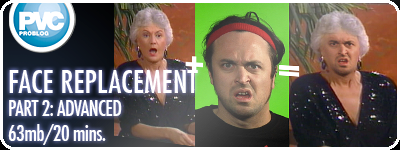
Watch my video tutorial on Basic Face Replacement (http://provideocoalition.com/index.php/motiongraphicsvizfx/story/face_replacement_part_1_basic/) it should explain it for you.
hi can someone help me, ive done everything right exscept that my feathered cut out face wont go onto my character in the video for face replacement, when i push the eye my face wont go on the other frame, help
Post a Comment